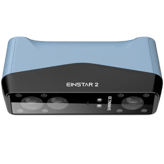
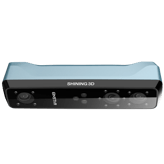
EINSTAR Rockit Facts: 136 Specifications & 53 Highlights
Before you buy the EINSTAR Rockit 3d scanner, take a minute to explore its 136 specs & features — from core specs to standout features like general information, scanning performance, accuracy & resolution & scanning volume & range.
 Supermod
  Moderator
Highlights 53
No extras. Just what matters.Why is EINSTAR Rockit better than other 3d scanners ?
Scanning Performance
- Supports Continuous Scanning
- Processes Data In Real Time
- Motion Is Compensated Effectively
- Multiple Scans Align Seamlessly
Capture Modes & Technology
- Supports Marker-Based Scanning
- Supports Markerless Scanning
- Supports Handheld Scanning
- Supports Fixed Scanning
- Supports Turntable Scanning
- Texture Capture Available
- Supports Color Capture
Object Compatibility
- Dark Objects Can Be Scanned Directly
- Shiny Surfaces Are Supported
- Supports Human Body Scanning
- Supports Face Scanning
- Industrial Parts Are Supported
- Organic Shapes Are Captured Well
Software & Processing
- Holes Are Filled Automatically
- Real-Time Preview Available
- Includes Mesh Editing Tools
- Smoothing Tools Available
- Includes Alignment Tools
- Includes Measurement Tools
- Supports Texture Mapping
- AI Enhances Scan Results
Output & File Formats
Scroll down for more factsConnectivity & Interfaces
Scroll down for more factsHardware & Design
Scroll down for more factsCalibration & Maintenance
Scroll down for more factsCompatibility & System Requirements
Scroll down for more factsAccessories & Expansion
Scroll down for more factsCertifications & Compliance
Scroll down for more factsQuick Take
The essentials that matter—nothing extraA fast snapshot of the EINSTAR Rockit, covering its standout specification and what you can expect right out of the box.

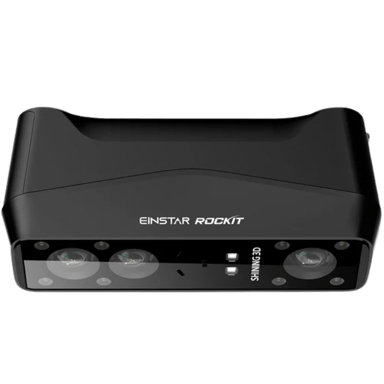
The EINSTAR Rockit is a revolutionary handheld 3D scanner that offers a completely wireless experience with a built-in Wi-Fi module and a swappable three-hour battery. It features a sophisticated hybrid light system, combining blue lasers and infrared technology, to effortlessly capture everything from fine mechanical details to full-sized human figures. Designed for ultimate portability, this compact device can even handle dark, shiny, or outdoor surfaces without the need for traditional markers or messy scanning sprays.
Specifications & Facts 136
Specs measured. Drama avoided.It’s all here: the EINSTAR Rockit 3d scanner’s specs, strengths, weaknesses, and head-to-head with top 3d scanners. Then cast your vote.
General Information 7
EINSTAR Rockit Product Type
What is the product type?
0 EINSTAR Rockit 0 Votes Handheld
3D Scanner in this range Who knows?
Defines the physical and functional form factor of the 3D scanner.
EINSTAR Rockit Scanning Method
What scanning method is used?
0 EINSTAR Rockit 0 Votes Laser Triangulation
3D Scanner in this range Who knows?
Identifies the core technology used to capture 3D data.
EINSTAR Rockit Mounting Type
How is the scanner mounted?
0 EINSTAR Rockit 0 Votes Handheld
3D Scanner in this range Who knows?
Specifies how the scanner can be positioned or supported during use.
EINSTAR Rockit Portability
Is the scanner portable?
Yes 0Votes EINSTAR Rockit
3D Scanner in this range Who knows?
Indicates whether the scanner is designed to be easily carried and used in different locations.
EINSTAR Rockit Scanner Category
What scanner category does it belong to?
0 EINSTAR Rockit 0 Votes Prosumer
3D Scanner in this range Who knows?
Indicates the market segment and typical performance class of the scanner.
EINSTAR Rockit Intended Use
What is the intended use?
0 EINSTAR Rockit 0 Votes Reverse Engineering, 3D Printing, Design, AR/VR, Education
3D Scanner in this range Who knows?
Describes the primary applications the scanner is designed for.
Scanning Performance 9
EINSTAR Rockit Scan Speed
What is the scan speed?
3D Scanner in this range Who knows?

Scan speed is 90 fps, describing how many frames the sensor captures per second.
Higher frame rates improve real-time responsiveness and tracking during fast handheld sweeps.
Indicates how quickly the scanner captures spatial data during operation.
EINSTAR Rockit Frames Per Second
How many frames per second does it capture?
3D Scanner in this range Who knows?
Frames per second is 90 fps, which affects temporal resolution and smoothness of live previews.
Consistent high FPS helps preserve accuracy during quick movements.
Represents the number of frames captured per second during scanning.
EINSTAR Rockit Continuous Scan
Does it support continuous scanning?
Yes 0Votes EINSTAR Rockit
3D Scanner in this range Who knows?
Indicates whether the scanner supports uninterrupted continuous scanning.
EINSTAR Rockit Real-Time Processing
Is real-time processing available?
Yes 0Votes EINSTAR Rockit
3D Scanner in this range Who knows?
Shows whether scan data is processed live during capture.
EINSTAR Rockit Scan Stability
How stable is the scanning process?
0 EINSTAR Rockit 0 Votes High
3D Scanner in this range Who knows?
Describes how stable and consistent scans remain during movement.
EINSTAR Rockit Tracking Performance
How good is the tracking performance?
0 EINSTAR Rockit 0 Votes Excellent
3D Scanner in this range Who knows?
Indicates how well the scanner maintains tracking of the object.
Accuracy & Resolution 6
EINSTAR Rockit Single Scan Accuracy
What is the single scan accuracy?
3D Scanner in this range Who knows?
Single scan accuracy is 0.00197 in (0.005 cm, ~0.05 mm).
This is the per-scan geometric fidelity expected under ideal conditions and is relevant for measurement and inspection use cases.
Measures the dimensional deviation within a single scan capture.
EINSTAR Rockit Resolution Level
What is the resolution level?
3D Scanner in this range Who knows?
Resolution level is 0.00197 in (0.005 cm, ~0.05 mm).
This indicates the smallest resolvable feature size in ideal conditions and is important for fine-detail capture.
Represents the smallest detail size the scanner can resolve.
EINSTAR Rockit Point Distance
What is the point distance?
3D Scanner in this range Who knows?
Point distance is 0.00197 in (0.005 cm, ~0.05 mm).
This spacing determines point cloud density and influences downstream mesh quality and measurement capability.
Defines the distance between captured data points on the surface.
EINSTAR Rockit Detail Capture Quality
How good is the detail capture quality?
0 EINSTAR Rockit 0 Votes High
3D Scanner in this range Who knows?
Describes how well small features and textures are preserved.
EINSTAR Rockit Edge Sharpness
How sharp are captured edges?
0 EINSTAR Rockit 0 Votes Sharp
3D Scanner in this range Who knows?
Indicates how clearly edges and boundaries are defined.
EINSTAR Rockit Surface Noise Level
What is the surface noise level?
0 EINSTAR Rockit 0 Votes Low
3D Scanner in this range Who knows?
Reflects the amount of unwanted surface artifacts in scans.
Scanning Volume & Range 8
EINSTAR Rockit Minimum Object Size
What is the minimum object size?
3D Scanner in this range Who knows?
Minimum detectable object dimension is 0.197 in (0.50 cm).
Objects at or above this size are more likely to be reliably captured without additional markers or macro techniques.
Indicates the smallest object dimension that can be reliably scanned.
EINSTAR Rockit Maximum Object Size
What is the maximum object size?
3D Scanner in this range Who knows?
Maximum object size that can be captured in a single pose is 54.53 in (138.51 cm).
For larger objects, plan multiple passes and alignment to cover the full geometry.
Shows the largest object dimension supported by the scanner.
EINSTAR Rockit Minimum Scan Distance
What is the minimum scan distance?
3D Scanner in this range Who knows?
Minimum scan distance is 3.94 in (10.01 cm).
Maintain at least this distance to avoid focus issues or incomplete coverage at close range.
Represents the closest distance the scanner can be to the object.
EINSTAR Rockit Maximum Scan Distance
What is the maximum scan distance?
3D Scanner in this range Who knows?
Maximum recommended scan distance is 55.12 in (140.00 cm).
Staying within this range helps maintain tracking and point density specifications.
Indicates the farthest distance at which scanning remains effective.
EINSTAR Rockit Depth of Field
What is the depth of field?
3D Scanner in this range Who knows?
Depth of field is 51.18 in (130.00 cm).
A larger depth of field gives more flexibility in object placement and reduces the need for frequent refocusing during handheld sweeps.
Describes the usable distance range where objects remain in focus.
EINSTAR Rockit Field of View Width
What is the field of view width?
3D Scanner in this range Who knows?
Field of view width is 54.53 in (138.51 cm).
This horizontal coverage dictates how much of a subject can be captured from a single pose and affects recommended scanning distance and overlap.
Measures the horizontal capture width in a single scan frame.
Optics & Sensors 8
EINSTAR Rockit Laser Class
What laser class does it meet?
0 EINSTAR Rockit 0 Votes Class 2
3D Scanner in this range Who knows?
Laser emission is classified as Class 2.
Class 2 lasers are generally low risk for accidental exposure but standard laser safety precautions should still be observed.
Specifies the laser safety classification.
EINSTAR Rockit Light Source Type
What light source is used?
0 EINSTAR Rockit 0 Votes Laser, Infrared
3D Scanner in this range Who knows?
Describes the type of light used to project patterns or beams.
EINSTAR Rockit Sensor Type
What type of sensor does it use?
0 EINSTAR Rockit 0 Votes CMOS
3D Scanner in this range Who knows?
Identifies the primary sensor technology used for depth capture.
EINSTAR Rockit Number of Cameras
How many cameras are included?
0 EINSTAR Rockit 0 Votes 3
3D Scanner in this range Who knows?
Indicates how many cameras are used for scanning.
EINSTAR Rockit Camera Resolution
What is the camera resolution?
3D Scanner in this range Who knows?
Specifies the resolution of the capture cameras.
EINSTAR Rockit Infrared
Does it support infrared?
Yes 0Votes EINSTAR Rockit
3D Scanner in this range Who knows?
Indicates whether infrared scanning is supported.
Capture Modes & Technology 9
EINSTAR Rockit Scanning Mode
What scanning modes are supported?
0 EINSTAR Rockit 0 Votes Handheld
3D Scanner in this range Who knows?
Indicates the supported operational scanning modes.
EINSTAR Rockit Marker-Based Scanning
Does it support marker-based scanning?
Yes 0Votes EINSTAR Rockit
3D Scanner in this range Who knows?
Indicates whether physical markers can be used for tracking.
EINSTAR Rockit Markerless Scanning
Does it support markerless scanning?
Yes 0Votes EINSTAR Rockit
3D Scanner in this range Who knows?
Shows whether the scanner can track objects without markers.
EINSTAR Rockit Handheld Scanning
Does it support handheld scanning?
Yes 0Votes EINSTAR Rockit
3D Scanner in this range Who knows?
Shows whether the scanner can be used freely by hand.
EINSTAR Rockit Fixed Scanning
Can it be used in a fixed setup?
Yes 0Votes EINSTAR Rockit
3D Scanner in this range Who knows?
Indicates support for stationary or mounted scanning setups.
EINSTAR Rockit Turntable Scanning
Does it support turntable scanning?
Yes 0Votes EINSTAR Rockit
3D Scanner in this range Who knows?
Specifies compatibility with turntable-based scanning workflows.
Object Compatibility 8
EINSTAR Rockit Supported Object Materials
What materials can be scanned?
0 EINSTAR Rockit 0 Votes Plastic, Metal, Wood, Clay, Fabric, Stone
3D Scanner in this range Who knows?
Lists common materials the scanner can capture effectively.
EINSTAR Rockit Dark Object
Can it scan dark objects?
Yes 0Votes EINSTAR Rockit
3D Scanner in this range Who knows?
Indicates whether dark or black surfaces can be scanned without coating.
EINSTAR Rockit Shiny Object
Can it scan shiny objects?
Yes 0Votes EINSTAR Rockit
3D Scanner in this range Who knows?
Shows whether reflective or glossy surfaces are supported.
EINSTAR Rockit Transparent Object
Can it scan transparent objects?
No 0Votes EINSTAR Rockit
3D Scanner in this range Who knows?
Indicates support for clear or transparent materials.
EINSTAR Rockit Human Body Scanning
Can it scan the human body?
Yes 0Votes EINSTAR Rockit
3D Scanner in this range Who knows?
Shows whether full or partial human body scanning is supported.
EINSTAR Rockit Face Scanning
Can it scan faces?
Yes 0Votes EINSTAR Rockit
3D Scanner in this range Who knows?
Indicates suitability for facial scanning applications.
Software & Processing 10
EINSTAR Rockit Hole Filling
Does it support hole filling?
Yes 0Votes EINSTAR Rockit
3D Scanner in this range Who knows?
Yes. The scanner will perform hole filling in captured meshes, which helps produce watertight models by automatically filling small gaps.
This is useful when scanning objects with occlusions or when preparing models for 3D printing or simulation.
Indicates support for automatically filling gaps in meshes.
EINSTAR Rockit Included Software
What software is included?
0 EINSTAR Rockit 0 Votes STL, OBJ, PLY
3D Scanner in this range Who knows?
Identifies the primary software provided with the scanner.
EINSTAR Rockit Real-Time Preview
Is real-time preview available?
Yes 0Votes EINSTAR Rockit
3D Scanner in this range Who knows?
Indicates whether scan results can be viewed live during capture.
EINSTAR Rockit Mesh Editing Tools
Are mesh editing tools included?
Yes 0Votes EINSTAR Rockit
3D Scanner in this range Who knows?
Shows whether built-in tools are available for editing meshes.
EINSTAR Rockit Smoothing Tools
Are smoothing tools included?
Yes 0Votes EINSTAR Rockit
3D Scanner in this range Who knows?
Shows whether surface smoothing tools are available.
EINSTAR Rockit Alignment Tools
Are alignment tools included?
Yes 0Votes EINSTAR Rockit
3D Scanner in this range Who knows?
Indicates availability of tools for aligning multiple scans.
Output & File Formats 8
EINSTAR Rockit Mesh Output Formats
What mesh formats are supported?
0 EINSTAR Rockit 0 Votes STL, OBJ, PLY
3D Scanner in this range Who knows?
Supported mesh output formats are STL, OBJ, and PLY.
These common formats ensure compatibility with most 3D modeling, printing, and analysis workflows.
Lists supported polygon mesh file formats for export.
EINSTAR Rockit Point Cloud Formats
What point cloud formats are available?
0 EINSTAR Rockit 0 Votes PLY, ASC
3D Scanner in this range Who knows?
Identifies supported point cloud export formats.
EINSTAR Rockit CAD Export
Does it support CAD export?
No 0Votes EINSTAR Rockit
3D Scanner in this range Who knows?
Indicates whether data can be exported for CAD workflows.
EINSTAR Rockit Texture File Formats
What texture formats are supported?
0 EINSTAR Rockit 0 Votes JPG, PNG
3D Scanner in this range Who knows?
Lists supported formats for texture image files.
EINSTAR Rockit Color Data Export
Is color data included in exports?
Yes 0Votes EINSTAR Rockit
3D Scanner in this range Who knows?
Shows whether color information can be exported with models.
EINSTAR Rockit Export Resolution Control
Can export resolution be controlled?
Yes 0Votes EINSTAR Rockit
3D Scanner in this range Who knows?
Indicates whether users can adjust resolution at export.
Connectivity & Interfaces 6
EINSTAR Rockit USB Connectivity
Does it support USB connectivity?
Yes 0Votes EINSTAR Rockit
3D Scanner in this range Who knows?
Indicates whether the scanner supports USB connections to other devices.
EINSTAR Rockit Data Transfer Speed
What is the data transfer speed?
0 EINSTAR Rockit 0 Votes USB 3.0
3D Scanner in this range Who knows?
Describes the typical speed at which scan data is transferred.
EINSTAR Rockit Wireless Connectivity
Does it support wireless connectivity?
Yes 0Votes EINSTAR Rockit
3D Scanner in this range Who knows?
Shows whether the scanner can connect wirelessly.
EINSTAR Rockit Bluetooth
Is Bluetooth supported?
No 0Votes EINSTAR Rockit
3D Scanner in this range Who knows?
Indicates support for Bluetooth-based connections or accessories.
EINSTAR Rockit Wi-Fi
Does it support Wi-Fi?
Yes 0Votes EINSTAR Rockit
3D Scanner in this range Who knows?
Shows whether Wi-Fi is available for data transfer or control.
EINSTAR Rockit External Storage
Is external storage supported?
No 0Votes EINSTAR Rockit
3D Scanner in this range Who knows?
Indicates whether external storage devices can be used.
Hardware & Design 8
EINSTAR Rockit Body Material
What is the body material?
0 EINSTAR Rockit 0 Votes Plastic
3D Scanner in this range Who knows?
Enclosure material is Plastic.
Plastic housings reduce weight and cost but may be less impact-resistant than metal alternatives.
Describes the primary material used for the scanner’s exterior body.
EINSTAR Rockit Mounting Thread Type
What mounting thread does it use?
0 EINSTAR Rockit 0 Votes 1/4-inch
3D Scanner in this range Who knows?
Mounting thread is 1/4-inch (6.35 mm), the common tripod and accessory standard.
This makes the scanner compatible with most consumer tripods and many mounts.
Specifies the standard thread used for mounting accessories.
EINSTAR Rockit Build Quality
How is the build quality?
0 EINSTAR Rockit 0 Votes Premium
3D Scanner in this range Who knows?
Indicates overall construction quality and finish.
EINSTAR Rockit Ergonomic Design
Is the scanner ergonomically designed?
Yes 0Votes EINSTAR Rockit
3D Scanner in this range Who knows?
Shows whether the scanner is designed for comfortable handling.
EINSTAR Rockit Button Controls
Does it have physical button controls?
Yes 0Votes EINSTAR Rockit
3D Scanner in this range Who knows?
Indicates whether physical buttons are available for control.
EINSTAR Rockit Indicator Lights
Are indicator lights included?
Yes 0Votes EINSTAR Rockit
3D Scanner in this range Who knows?
Shows whether LED indicators provide status feedback.
Dimensions & Weight 4
EINSTAR Rockit Width
What is the scanner width?
3D Scanner in this range Who knows?
Device width is 5.12 in (13.00 cm).
This compact footprint helps with handheld ergonomics and storage.
Measures the overall width of the scanner body.
EINSTAR Rockit Depth
What is the scanner depth?
3D Scanner in this range Who knows?
Device depth is 1.46 in (3.71 cm).
Slim depth makes handling comfortable and eases positioning near complex geometries.
Measures the front-to-back depth of the scanner.
EINSTAR Rockit Height
What is the scanner height?
3D Scanner in this range Who knows?
Scanner height measures 2.4 in (6.10 cm).
A compact height makes the unit easier to maneuver for handheld operation and simplifies storage.
Measures the overall height of the scanner.
EINSTAR Rockit Weight
How much does the scanner weigh?
3D Scanner in this range Who knows?
Device weight is 0.92 lbs (0.42 kg).
This light weight favors prolonged handheld use with reduced operator fatigue.
Indicates the total weight of the scanner unit.
Power & Battery 6
EINSTAR Rockit Battery Capacity
What is the battery capacity?
3D Scanner in this range Who knows?
Battery capacity is 5500 mAh.
That capacity typically supports extended field sessions and can correlate with several hours of operation depending on power settings and usage.
Indicates the total energy capacity of the battery.
EINSTAR Rockit Power Source
What is the power source?
0 EINSTAR Rockit 0 Votes Battery
3D Scanner in this range Who knows?
Identifies the primary power method used by the scanner.
EINSTAR Rockit Battery Type
What type of battery does it use?
0 EINSTAR Rockit 0 Votes Lithium-Ion
3D Scanner in this range Who knows?
Specifies the type of battery used, if applicable.
EINSTAR Rockit Battery Life
How long does the battery last?
3D Scanner in this range Who knows?
Shows the typical operating time on a full charge.
EINSTAR Rockit External Power
Can it run on external power?
Yes 0Votes EINSTAR Rockit
3D Scanner in this range Who knows?
Shows whether the scanner can operate while plugged into external power.
EINSTAR Rockit Charging Time
How long does it take to charge?
3D Scanner in this range Who knows?
Measures the time required to fully recharge the battery.
Environmental & Operating Conditions 5
EINSTAR Rockit Operating Temperature Range
What is the operating temperature range?
0 EINSTAR Rockit 0 Votes 14–104°F
3D Scanner in this range Who knows?
Operating temperature range is 14–104°F (-10–40°C).
Use within this range ensures consistent sensor performance and avoids temperature-related drift or damage.
Specifies the temperature range in which the scanner can operate effectively.
EINSTAR Rockit Outdoor Use
Can it be used outdoors?
No 0Votes EINSTAR Rockit
3D Scanner in this range Who knows?
Indicates whether the scanner can be used outdoors.
EINSTAR Rockit Vibration Resistance
Is it resistant to vibration?
No 0Votes EINSTAR Rockit
3D Scanner in this range Who knows?
Shows resistance to vibration during operation.
EINSTAR Rockit Dust Resistance
Is it dust resistant?
No 0Votes EINSTAR Rockit
3D Scanner in this range Who knows?
Indicates protection against dust ingress.
EINSTAR Rockit Moisture Resistance
Is it moisture resistant?
No 0Votes EINSTAR Rockit
3D Scanner in this range Who knows?
Shows resistance to moisture or light splashes.
Calibration & Maintenance 6
EINSTAR Rockit Calibration Frequency
How often is calibration needed?
0 EINSTAR Rockit 0 Votes On Demand
3D Scanner in this range Who knows?
Calibration frequency is On Demand, meaning calibration is performed when needed rather than on a fixed schedule.
This provides flexibility but requires the user to initiate calibration after significant changes in environment or setup.
Indicates how often calibration is required.
EINSTAR Rockit Calibration Method
What calibration method is used?
0 EINSTAR Rockit 0 Votes Hybrid
3D Scanner in this range Who knows?
Describes how the scanner is calibrated to maintain accuracy.
EINSTAR Rockit Auto Calibration
Does it support auto calibration?
Yes 0Votes EINSTAR Rockit
3D Scanner in this range Who knows?
Shows whether the scanner supports automatic calibration.
EINSTAR Rockit Manual Calibration
Is manual calibration possible?
Yes 0Votes EINSTAR Rockit
3D Scanner in this range Who knows?
Indicates whether users can manually calibrate the scanner.
EINSTAR Rockit Maintenance Requirement
How much maintenance is required?
0 EINSTAR Rockit 0 Votes Low
3D Scanner in this range Who knows?
Describes the typical level of maintenance needed.
EINSTAR Rockit Firmware Update Method
How are firmware updates performed?
0 EINSTAR Rockit 0 Votes Software-Based
3D Scanner in this range Who knows?
Indicates how firmware updates are delivered and installed.
Security & Data Handling 5
EINSTAR Rockit Local Data Storage
Is local data storage supported?
No 0Votes EINSTAR Rockit
3D Scanner in this range Who knows?
No. Local data storage is not provided, so captured data must be stored on a connected device or external media.
Plan for sufficient host storage or a data pipeline to avoid interruptions during extended scanning sessions.
Indicates whether scan data can be stored locally on the device or connected system.
EINSTAR Rockit Data Ownership Policy
Who owns the scan data?
0 EINSTAR Rockit 0 Votes User
3D Scanner in this range Who knows?
Describes who retains ownership of captured scan data.
EINSTAR Rockit Cloud Processing Option
Is cloud processing available?
No 0Votes EINSTAR Rockit
3D Scanner in this range Who knows?
Shows whether cloud-based processing is available as an option.
EINSTAR Rockit User Access Control
Are access controls supported?
No 0Votes EINSTAR Rockit
3D Scanner in this range Who knows?
Shows whether access can be restricted to authorized users.
EINSTAR Rockit Offline Mode
Can it work offline?
Yes 0Votes EINSTAR Rockit
3D Scanner in this range Who knows?
Indicates whether the scanner can operate without internet access.
Compatibility & System Requirements 7
EINSTAR Rockit Minimum RAM Requirement
How much RAM is required?
3D Scanner in this range Who knows?
Minimum RAM requirement is 32 GB.
Meeting or exceeding this ensures the host system can handle large point clouds and processing tasks without excessive swapping or slowdown.
Indicates the minimum system memory needed for operation.
EINSTAR Rockit Supported Operating Systems
Which operating systems are supported?
0 EINSTAR Rockit 0 Votes Windows, macOS
3D Scanner in this range Who knows?
Lists operating systems compatible with the scanner software.
EINSTAR Rockit Minimum CPU Requirement
What CPU is required?
0 EINSTAR Rockit 0 Votes Intel i7
3D Scanner in this range Who knows?
Describes the minimum processor specifications required.
EINSTAR Rockit GPU Requirement
Is a GPU required?
0 EINSTAR Rockit 0 Votes Dedicated
3D Scanner in this range Who knows?
Specifies whether a dedicated GPU is required or recommended.
EINSTAR Rockit Mobile Device Compatibility
Is it compatible with mobile devices?
Yes 0Votes EINSTAR Rockit
3D Scanner in this range Who knows?
Indicates support for smartphones as control or processing devices.
EINSTAR Rockit Tablet Compatibility
Is tablet use supported?
Yes 0Votes EINSTAR Rockit
3D Scanner in this range Who knows?
Shows whether tablets can be used with the scanner.
Accessories & Expansion 5
EINSTAR Rockit Included Accessories
What accessories are included?
0 EINSTAR Rockit 0 Votes Carrying Case, Scanner, Calibration Board, Power Adapter
3D Scanner in this range Who knows?
Carrying Case, Scanner, Calibration Board, and Power Adapter are included in the package.
Having the calibration board and case onboard simplifies setup and protects the device during transport.
Lists standard accessories included with the scanner.
EINSTAR Rockit Turntable Compatibility
Is it compatible with a turntable?
Yes 0Votes EINSTAR Rockit
3D Scanner in this range Who knows?
Indicates whether the scanner can be used with a turntable.
EINSTAR Rockit Tripod Compatibility
Can it be mounted on a tripod?
Yes 0Votes EINSTAR Rockit
3D Scanner in this range Who knows?
Shows whether the scanner can be mounted on a tripod.
EINSTAR Rockit Extension Modules
Are extension modules supported?
No 0Votes EINSTAR Rockit
3D Scanner in this range Who knows?
Indicates whether hardware or functional extensions are supported.
EINSTAR Rockit Replacement Parts Availability
Are replacement parts available?
Yes 0Votes EINSTAR Rockit
3D Scanner in this range Who knows?
Shows whether replacement parts are readily available.
Certifications & Compliance 6
EINSTAR Rockit Safety Certifications
What safety certifications does it have?
0 EINSTAR Rockit 0 Votes CE, FCC, RoHS
3D Scanner in this range Who knows?
Declared safety certifications: CE, FCC, and RoHS.
These indicate compliance with common regional safety, emissions, and hazardous substance standards.
Lists general safety certifications the scanner complies with.
EINSTAR Rockit Laser Safety Compliance
Is it laser safety compliant?
Yes 0Votes EINSTAR Rockit
3D Scanner in this range Who knows?
Indicates compliance with laser safety regulations.
EINSTAR Rockit EMC Compliance
Is it EMC compliant?
Yes 0Votes EINSTAR Rockit
3D Scanner in this range Who knows?
Shows compliance with electromagnetic compatibility standards.
EINSTAR Rockit Environmental Compliance
Is it environmentally compliant?
Yes 0Votes EINSTAR Rockit
3D Scanner in this range Who knows?
Indicates compliance with environmental regulations.
EINSTAR Rockit Industry Standards Compliance
Which industry standards are supported?
0 EINSTAR Rockit 0 Votes IEC
3D Scanner in this range Who knows?
Describes adherence to industry-specific standards.
EINSTAR Rockit Export Restrictions
Are there export restrictions?
No 0Votes EINSTAR Rockit
3D Scanner in this range Who knows?
Indicates whether there are any export or regional usage restrictions.
Warranty & Support 5
EINSTAR Rockit Software Update
Are software updates supported?
Yes 0Votes EINSTAR Rockit
3D Scanner in this range Who knows?
Yes. Software updates are supported, allowing firmware and application improvements to be applied.
Regular updates can deliver bug fixes, new features, and performance optimizations.
Shows whether ongoing software updates are provided.
EINSTAR Rockit Support Channels
What support channels are available?
0 EINSTAR Rockit 0 Votes Email, Phone, Live Chat, Ticket System
3D Scanner in this range Who knows?
Lists available channels for customer support.
EINSTAR Rockit Technical Support Availability
Is technical support available?
Yes 0Votes EINSTAR Rockit
3D Scanner in this range Who knows?
Indicates whether technical support is available.
EINSTAR Rockit Documentation Quality
How good is the documentation?
0 EINSTAR Rockit 0 Votes Comprehensive
3D Scanner in this range Who knows?
Describes the quality of manuals and documentation.
EINSTAR Rockit Training Resources
Are training resources available?
Yes 0Votes EINSTAR Rockit
3D Scanner in this range Who knows?
Indicates availability of training or learning resources.
Surveys
Because hot takes deserve votes.EINSTAR Rockit Scanning Performance
How would you rate the overall scanning performance of this 3D scanner?
EINSTAR Rockit Accuracy & Resolution
How would you rate the accuracy and resolution of this 3D scanner?
EINSTAR Rockit Scanning Volume & Range
How would you rate the scanning volume and range of this 3D scanner?
EINSTAR Rockit Ease of Setup
How would you rate the ease of setting up this 3D scanner?
EINSTAR Rockit Software Usability
How would you rate the ease of using the software that comes with this 3D scanner?
EINSTAR Rockit Noise Level
How would you rate the noise level during operation of this 3D scanner?
EINSTAR Rockit Durability & Build Quality
How would you rate the durability and build quality of this 3D scanner?
EINSTAR Rockit Design Appeal
How would you rate the design and appearance of this 3D scanner?
EINSTAR Rockit Comfort of Use
How would you rate the comfort of using this 3D scanner for long sessions?
EINSTAR Rockit Pricing
How would you rate the pricing for this 3D scanner?
Guides 1
Yes, we brought proof.Files 1
All About EINSTAR Rockit
Reviews 0
The good, the bad, and the brutally honest.Average Rating

Discussions 0
Thoughts, takes, and hot debates.Awards 0
Only the best made it here.Collections 0
Treasures You’ve picked. No fluff, all fun.More 3D Scanners 4
Unlock more awesome finds.3D Scanners like EINSTAR Rockit 1

Other EINSTAR 3D Scanners 3